Lorikeet Security vs Flowtriq: The Honest Comparison
Can you stop worrying about "what if" and start fixing real security gaps today?
Ever spent hours staring at a PDF pentest report and wondering how to turn it into action? We’ve found teams often need more than a one-off scan — they want live visibility, human-verified findings, and compliance evidence they can ship to auditors. Lorikeet Security combines hands-on penetration testing across apps, APIs, cloud and networks with 24/7 attack surface monitoring, compliance automation, and an AI-guided portal. While Flowtriq excels at instant DDoS detection and mitigation for uptime protection, Lorikeet is better suited for a full security program: manual pentests, remediation guidance, retesting, and audit-ready reports.
Step 1: Setting Up Your Account
We like to treat setup like an onboarding sprint. Here’s the minimum sequence that gets useful output in days, not weeks.
- Create your Lorikeet account and invite your core team (security owner, lead dev, and an auditor if you have one).
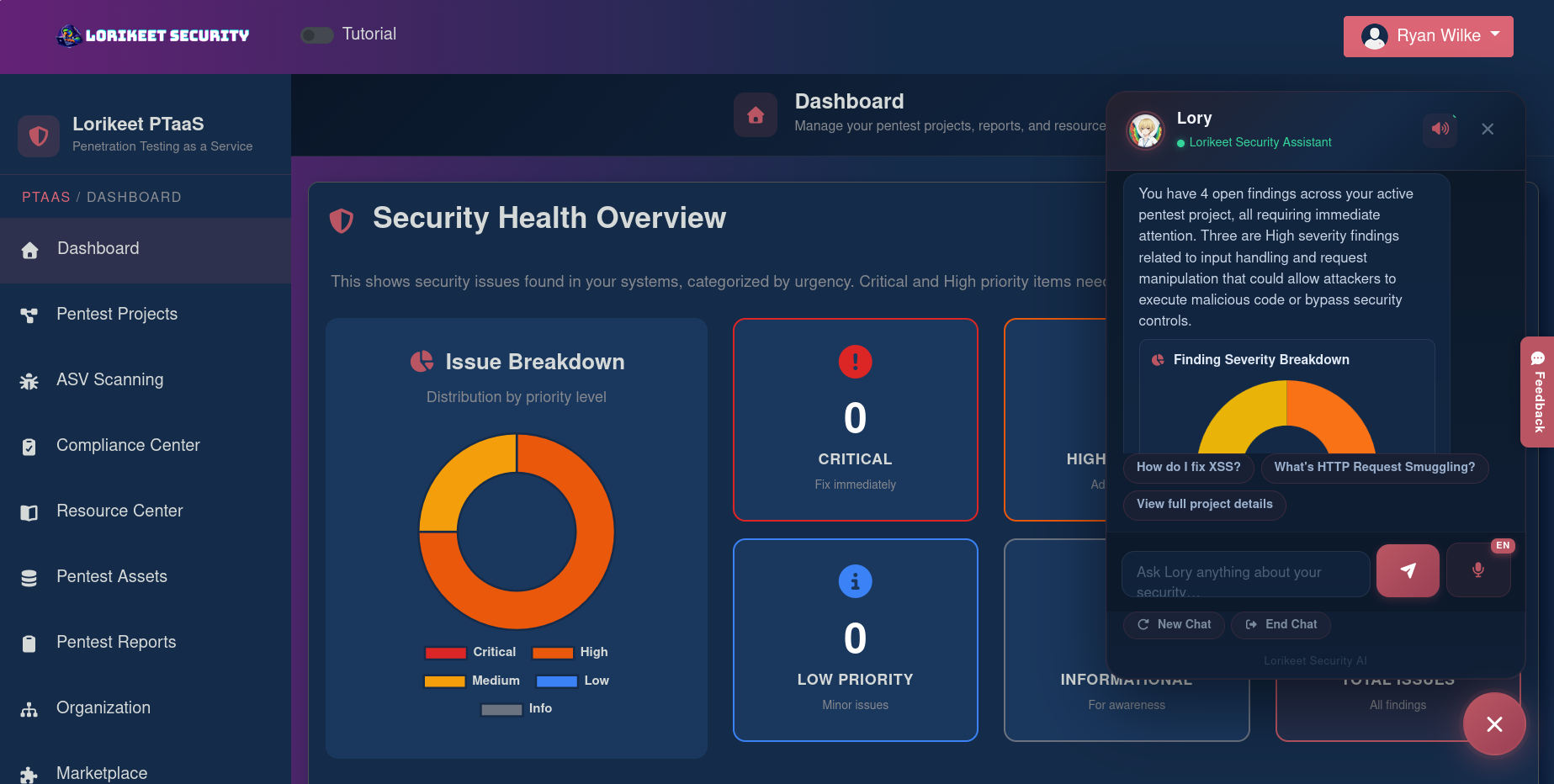
- Claim your organization portal and activate Lory, the AI assistant — it’ll help prioritize and explain findings.
- Define the initial scope: list web apps, API domains (REST/GraphQL/SOAP), mobile apps, cloud environments (AWS/Azure/GCP), and network ranges you want tested.
- For cloud environments, prepare read-only credentials or IAM roles per provider guidance so researchers can safely assess configurations.
- Choose the engagement type (web app pentest, API assessment, cloud security review, etc.) and schedule the manual engagement. Lorikeet’s model is human-first — every test is performed manually and includes free retesting.
Tip from our team: run a small app assessment first to learn how reports map to your sprint process before committing to a full-surface engagement.
Step 2: Core Features You Need to Know
Focus on the features that save the most time for developer tools teams.
- Real-time portal — watch engagement progress, see live findings, and assign responsibility. Use it to avoid the “PDF in Slack” problem.
- Lory AI assistant — asks natural-language questions and explains vulnerabilities using a training set of ~2,000 entries. Great for junior devs and auditors.
- 24/7 attack surface monitoring — continuous discovery catches exposed assets between scheduled pentests.
- Manual pentests with free retesting — every finding is human-verified with step-by-step remediation guidance for developers and auditors.
- Compliance automation — audit-ready outputs for SOC 2, PCI-DSS, ISO 27001, HIPAA, GDPR, and more; integrates with Vanta and Drata workflows for smoother attestations.
Example: after a REST API test, you’ll get a human-validated exploit path, the exact HTTP payload used, and remediation steps aimed at developers and compliance teams.
Step 3: Pro Tips for Developer Tools Professionals
These are the tricks our cross-functional crew swears by.
- Map findings to your issue tracker immediately — assign a remediation owner and due date during triage in the portal.
- Prioritize fixes by exploitability and business impact rather than CVSS alone — Lory’s context helps here.
- Schedule staggered retests: fix critical items first, then validate in a controlled window to avoid release disruptions.
- Use Lorikeet’s training/phishing modules to reduce human risk — developer ops teams are frequent targets for social engineering.
- Include infrastructure-as-code reviews when testing cloud environments to catch drift between deployment code and live settings.
Common Mistakes to Avoid
We see these repeatedly in community feedback.
- Scope creep — don’t try to test everything at once. Start with high-risk apps and expand.
- Treating reports as read-only — assign, track, and retest immediately.
- Ignoring monitoring — a single pentest isn’t continuous security. Enable 24/7 attack surface monitoring.
How It Compares to Alternatives
While Flowtriq excels at rapid DDoS detection and automated mitigation — ideal for ops teams prioritizing uptime — Lorikeet is better suited for organizations that need manual, human-led vulnerability discovery, remediation guidance, and compliance-ready reporting. Flowtriq may be simpler and faster for network-level protection; Lorikeet targets a broader audience (product security, compliance-driven orgs, and startups scaling to enterprise) with deeper coverage across apps, cloud, and bespoke engagements.
Conclusion: Is Lorikeet Security Right for You?
If you need a platform that turns pentests into a living security program — human-verified findings, retesting, continuous monitoring, and audit artifacts — Lorikeet is a strong fit. Our team appreciates the portal + Lory combo because it reduces ambiguity for devs and speeds remediation. If your single priority is automatic DDoS mitigation, consider a network-first tool like Flowtriq. Otherwise, for end-to-end developer and compliance workflows, Lorikeet is worth trialing — start small, iterate on scope, and use retesting to close the loop.